All your team's work — in one workspace
Docs, databases, workstreams with tasks, a calendar and live diagrams. Connect Claude or ChatGPT — and the AI lays out the page, the tasks and the process diagram for you.
Sign in with Google · no card · Ukrainian and English
Cottage opening plan
Instead of chats, spreadsheets, notes and a tracker — one workspace where everything is connected
Eight apps — one SpilNote. Everything is linked: a task knows its doc, an event knows its task, a diagram knows its process.
Write together, live
A page is made of blocks: text, tasks, columns, tables, callouts, files, video and live diagrams. Teammates see each other's cursors, and edits save themselves.
- “/” — over 30 block types and Markdown as you type
- 300 icons and living covers
- Comments, @mentions, version history
Check-in rules
Please add a photo of the boiler — @Anastasiia
One database — seven ways to see it
Clients, stock, requests, expenses. Table, board, calendar, gallery, list, timeline, chart — the same records, a different view. A form on your website adds a row instantly.
- Relations between databases, rollups, formulas
- Filters and sorting for each view
- Templates: clients, stock, expenses, requests
Discussion and tasks in one workstream
A channel is a project: “Discussion · Tasks · Files” tabs. Any message becomes a task with an owner and a due date. Voice messages, reactions, “My tasks” from every workstream.
- “@Anastasiia by Fri !8” — a task in one line
- List, board, by people, calendar, Gantt
- Reminders in SpilNote and Telegram
Watch the process come alive
Animated diagrams of processes, org charts and architecture — and real engineering drawings: a switchboard, a network, a boiler room, ventilation. Lines route around shapes by themselves.
- 45 templates in 9 fields
- 74 engineering symbols, a drafting font
- Export to GIF, MP4, JPEG, PDF
Your team's week on one screen
Your own calendar, Google events both ways, calendars via an iCal link. Tasks with due dates are right there. Reminders in the browser and Telegram.
- “tomorrow 15:00 call with Oleh” — an event in one line
- Week, day, month, year, schedule
- Guests from your team: “Going / Maybe / Not going”
AI works right inside your workspace
Connect your AI with one button. It searches and reads your pages, creates docs, databases, tasks, events and diagrams — and decides on its own how to lay them out nicely.
- Access only to the sections you allow
- Every change is in version history, revoke in one click
- Pictures and files from the chat — straight onto the page
Check-in rules
You made a page — and it's already a website
A price list, a café menu, a job opening or a portfolio. Write it like a normal page, press “Publish” — and anyone with the link can open it. Fixed a price — the website already shows the new one.
- Subpages become the website menu
- Your own domain if you want
- A request form — every request becomes a database row
Flat renovation in Kyiv
Working since 2015. Free estimate.
The whole team sees the same thing
- Roles — owner, editor, viewer
- Guests — a single page for a client or contractor
- Private sections — only you can see them
- Who's here now — teammates' faces on the page
One tidy home for your own things
- Journal and habits — day by day
- Reading list — a gallery with covers
- Plans and shopping — checkboxes and reminders
- Ideas — jot them down, find them with ⌘K
Dozens of things that save time
Keep scrolling — all of this already works.
Templates
Project, expenses, clients, stock, requests, journal — don't start from a blank page.
300 icons
30 sections: from office and finance to construction, medicine and agriculture. No emoji.
Living covers
Over 50 slowly moving covers: aurora, waves, blueprints, constellations.
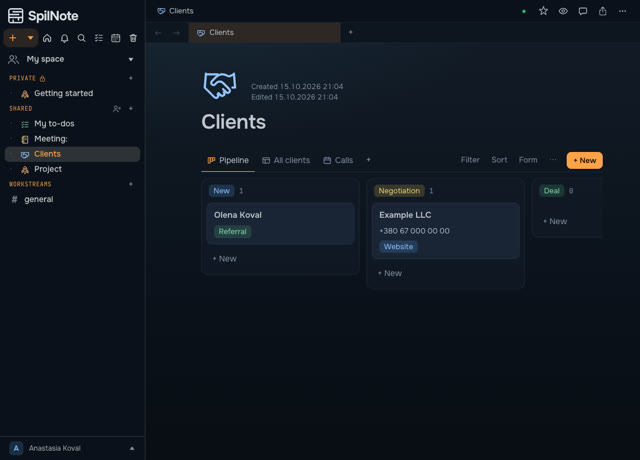
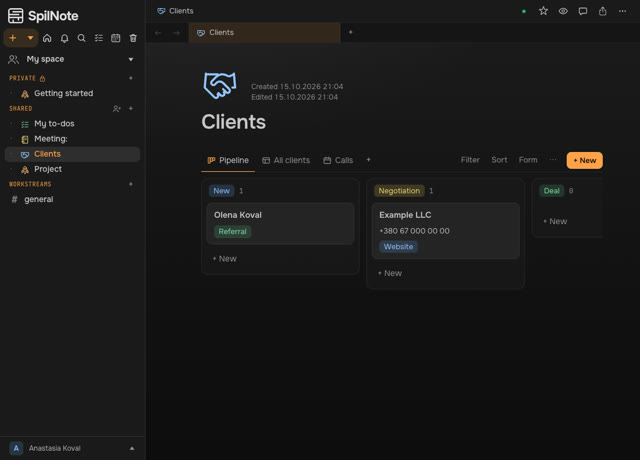
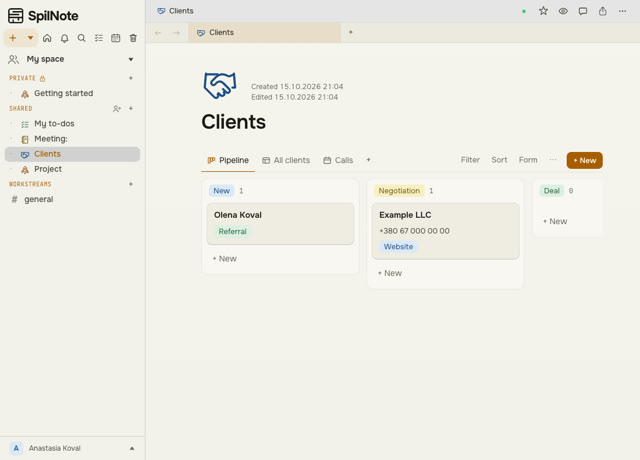 Sapphire
, Graphite, Light
Three themes and a text size set separately for computer and phone.
Search and tabs
⌘K finds pages, records, tasks and messages. Tabs, back and forward.
Nothing gets lost
Version history for every page, a trash bin and “Undo” after any action.
Comments and @mentions
A comment on any line, a mention of a teammate — and they get a notification.
Import and export
Word, Google Docs, Markdown, archives — in a minute. Back out — md, docx, PDF, Excel.
Telegram bot
Notifications about tasks, mentions and events — where you'll definitely see them.
Time tracking and Gantt
How many hours a project took and how tasks line up over time.
Roles and guests
Who sees and changes what — under your control. A single page for a guest.
Code lock
Lock your workspace with a code on a shared computer. Nightly database backups.
Ukrainian and English
The whole interface in two languages — handy for teams with people from abroad.
Your data belongs to you
- Sign in with Google — we never see or store your password
- We don't sell data and show no ads
- No tracking — no advertising cookies
- Nightly backup — for the last 14 days
- Our own protection catches and blocks break-in attempts
Already on your phone and computer
The same page, database or workstream — at your desk and in your pocket. The mobile version works in the browser right now; apps are coming soon.
Three steps — and your team is in
- Sign in with Google
Your workspace and a “Getting started” page appear right away. No card, no passwords.
- Bring your work
Word, Google Docs, Markdown, page archives — in a minute. Tables — from Excel (CSV).
- Invite your team
Teammates — into the workspace, with a role. A client or contractor — as a guest on one page.
Everything is free right now
All features — for you and your team. Early users will get special terms when paid plans arrive. We'll let you know in advance.
Frequently asked questions
Is it really free?
Yes. All SpilNote features are free right now. When paid plans appear, we'll let you know in advance, and early users will get special terms.
How do I start?
Click “Start for free” and sign in with your Google account. Your workspace appears right away, with a “Getting started” page of short tips.
How do I invite my team?
Enter a teammate's email in the workspace settings and pick a role: owner, editor or viewer. You can open just one page to a client or contractor — as a guest.
Who can see my notes?
Only the people you invite. Only you can see private sections. You can publish a page by link — then anyone with the link can open it.
What happens to my data if I want to leave?
Take everything out any time: pages — as Markdown or Word, databases — as Excel (CSV), files — as they are. We never hold your data hostage.
How do I connect AI?
In settings — “AI connection”: one button for Claude, three steps for ChatGPT, Cursor and others. You choose the sections and the access: read only, or changes too.
Does it work with Google Calendar?
Yes, both ways: Google events show up in SpilNote, and yours show up in Google. You can also add any calendar via an iCal link.
Can I bring my docs from Word or Google Docs?
Yes. Import accepts Word, Google Docs, Markdown and page archives. Export goes to md, docx and PDF, and databases to Excel (CSV).
Is there a phone app?
SpilNote already works well in your phone's browser. Apps for phone and computer are coming soon.
Start in a minute
Sign in with Google, no passwords. Your personal space and “Getting started” — right away. Everything is free right now.
Sign in with Google ↗